Apache 2.0 · macOS 15+ · Apple Silicon

Docker & Linux VMs
on Apple Silicon, natively.

DockZ is a ~8 MB menu bar app that runs the real dockerd in a tiny Alpine VM — with a Docker Desktop–style dashboard and Multipass–style Linux machines. One app replaces the whole stack.

~8 MB
App size
~4 MB
Download
100%
Real dockerd
Free
Apache 2.0
Screenshots

A native dashboard, not Electron

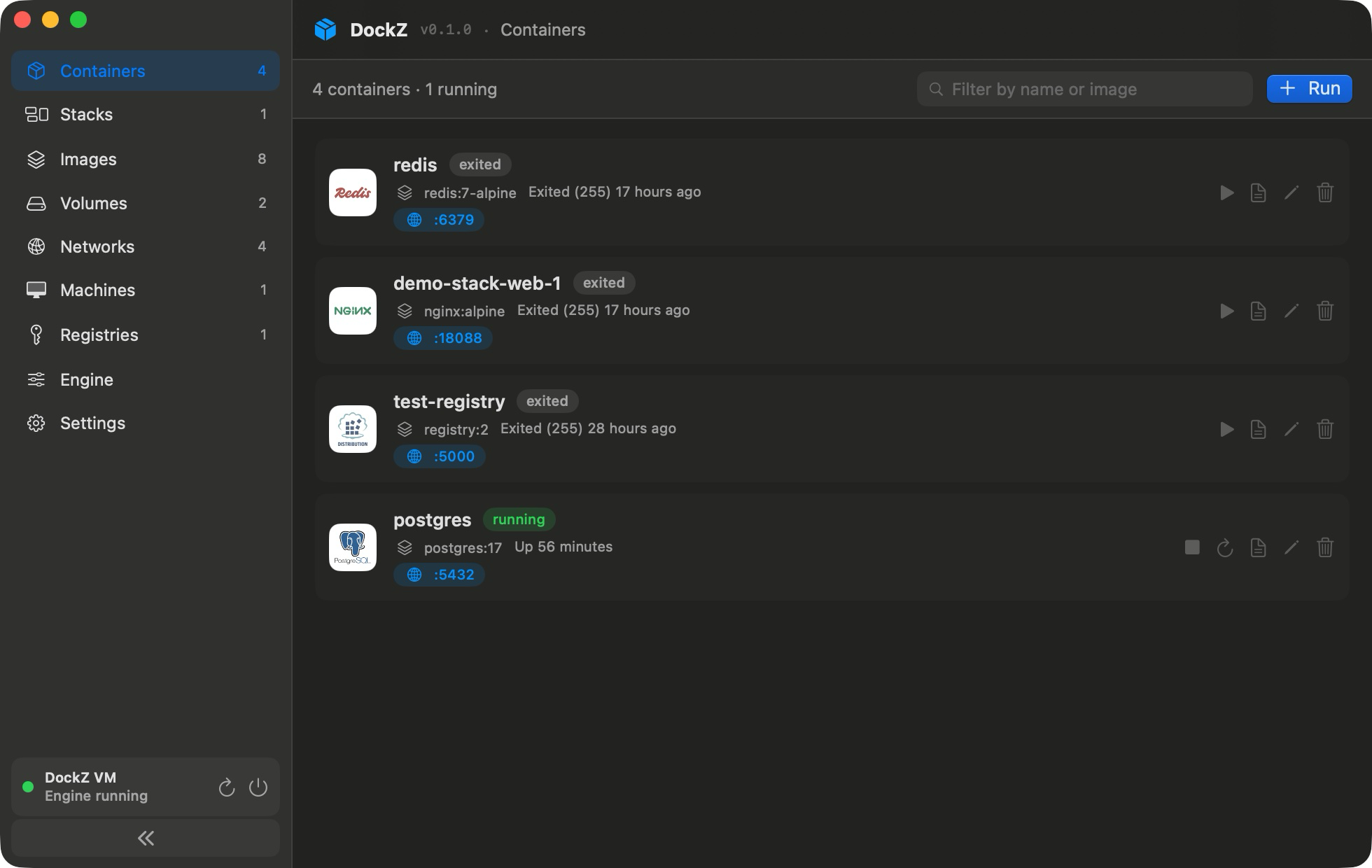
Pure SwiftUI on Apple's Virtualization.framework. Manage containers, images, volumes, networks, registries, compose stacks, and Linux machines — all in one window.

Containers grouped by compose stack
Containers · grouped by stack, crashes and failing health checks flagged
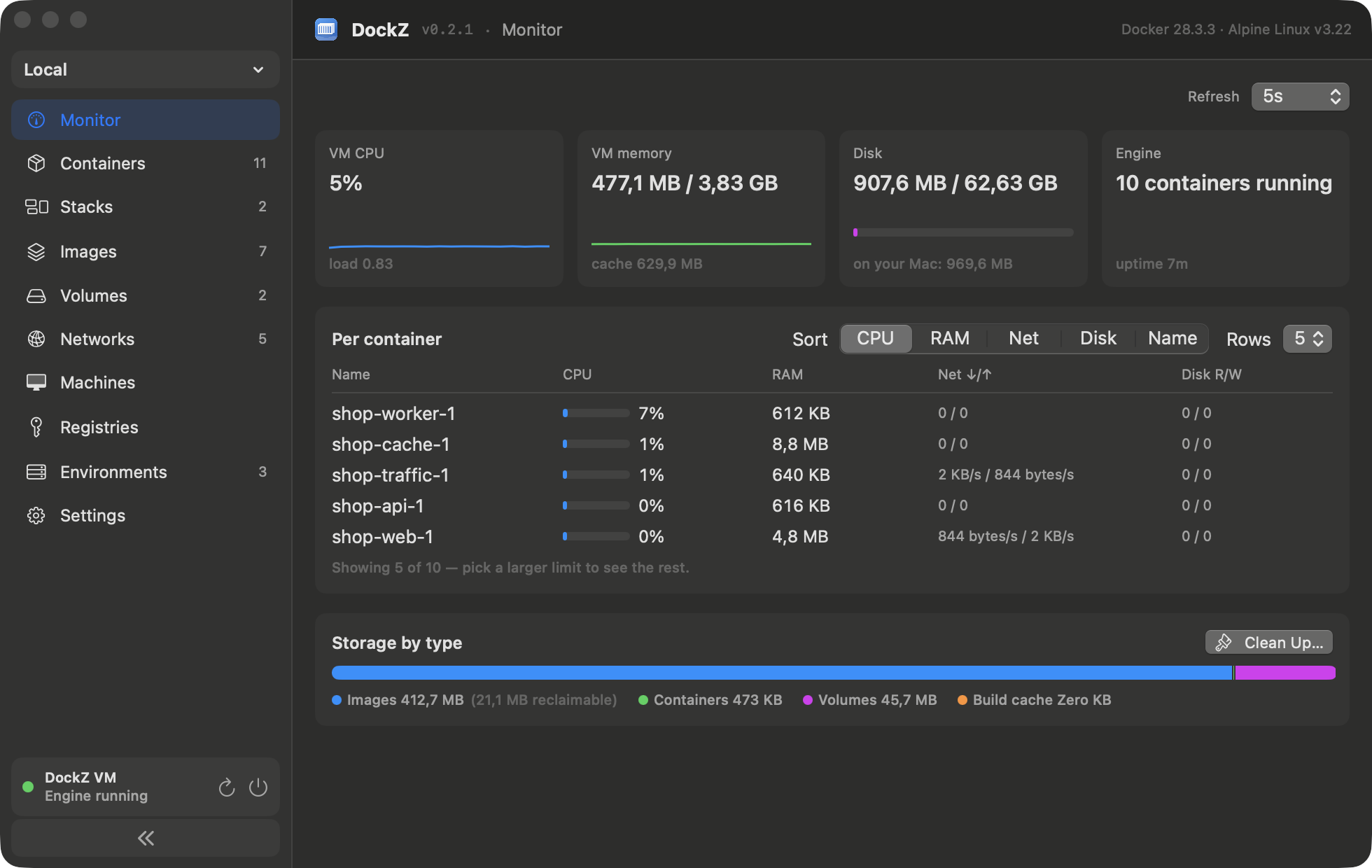
Monitor tab
Monitor · live CPU / memory / network per container, disk breakdown
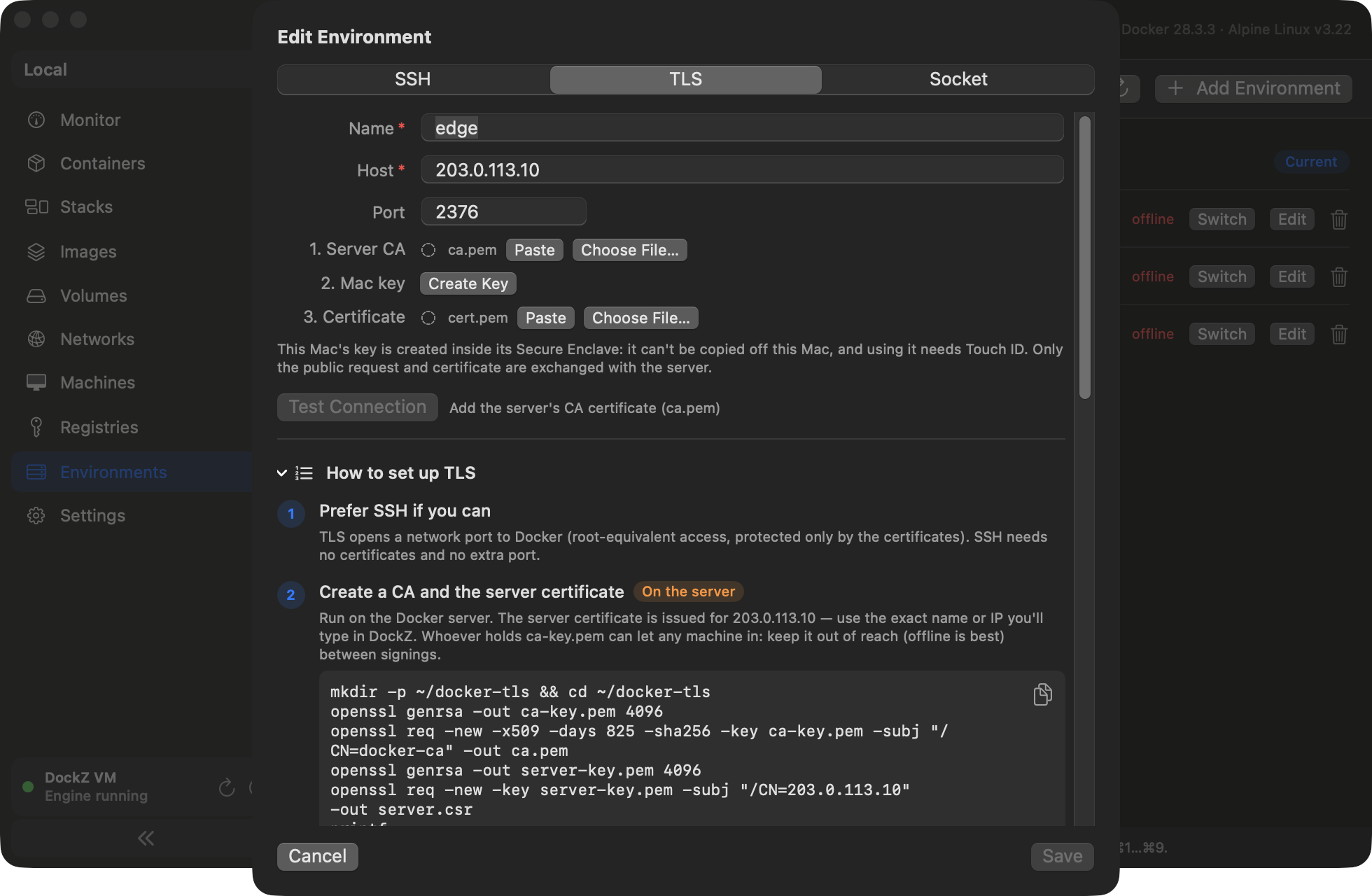
TLS environment editor
Remote engines · SSH or TLS, client key kept in the Secure Enclave
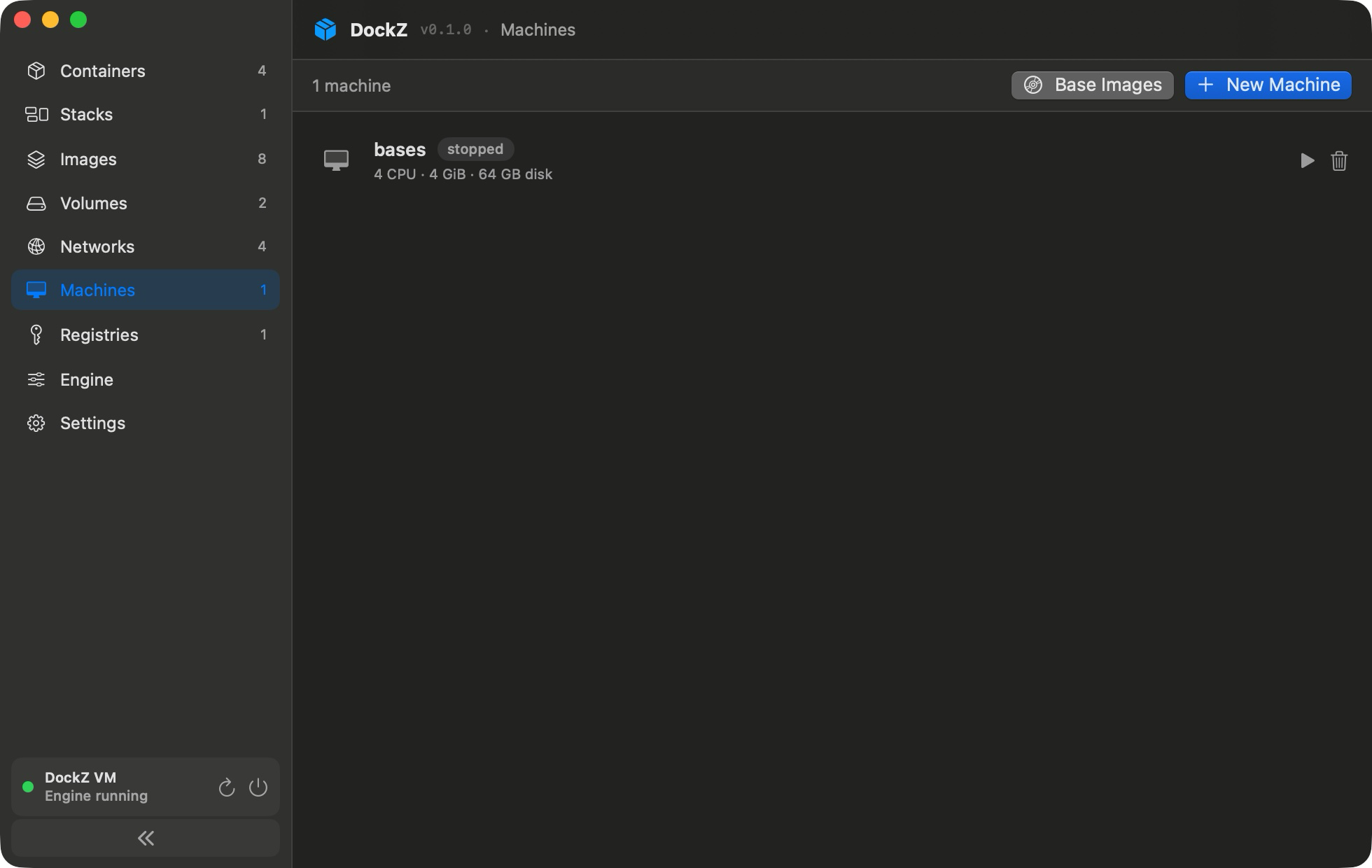
Machines
Machines · Alpine / Debian / Ubuntu, one-click k3s / k8s clusters
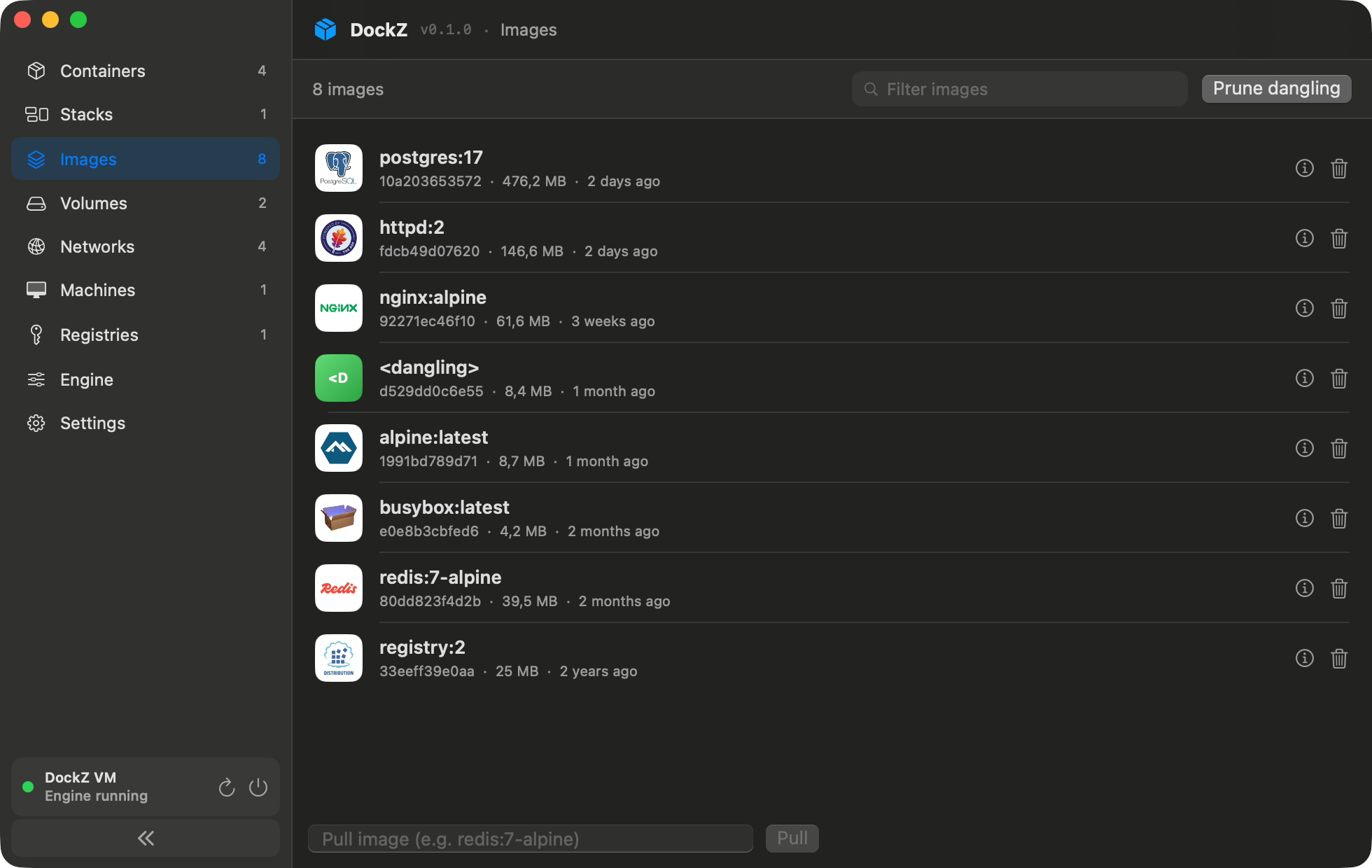
Images
Images · in use / unused / dangling, pull and prune
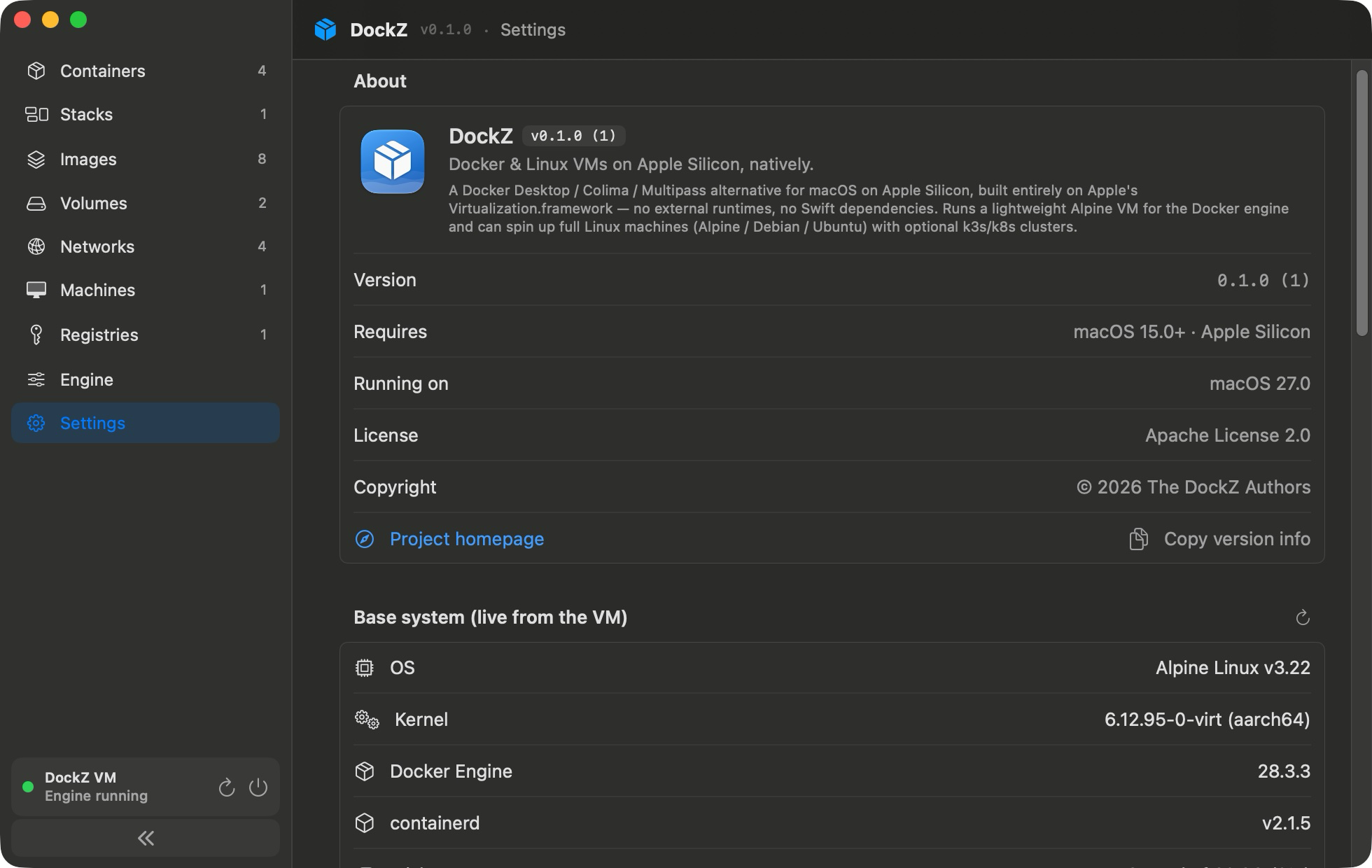
Settings
Settings · CPU / RAM / disk, snapshots, move data to external SSD
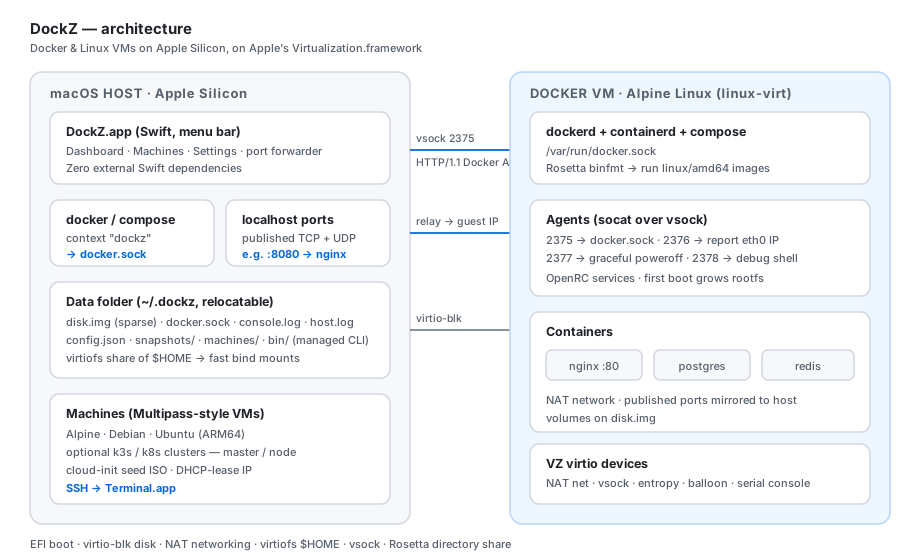
Architecture

One Alpine VM, one vsock, nothing more

The Docker socket is bridged over vsock. Published ports are mirrored to localhost automatically. $HOME is shared via virtiofs for instant bind mounts.

DockZ architecture diagram
Features

Everything you need, nothing you don't

🐳

Real Docker engine

Upstream dockerd in Alpine. docker, docker compose, and buildx all work — via the dockz context.

🖥️

Native dashboard

Containers, images, volumes, networks, registries, compose stacks. Create / edit forms, live logs, inspect, and filters + search on every list (containers grouped by stack, crashes flagged) — like Docker Desktop, but it's SwiftUI.

📦

Linux machines

Alpine / Debian / Ubuntu VMs (ARM64) over SSH. One-click k3s / k8s master + node cluster templates. Multipass-style, sharing one NAT network.

🚀

One-window onboarding

First launch builds the guest image in a throwaway netboot VM and fetches the CLI in parallel. When the window closes, docker ps just works.

🔌

Auto port forwarding

Published TCP and UDP ports are mirrored to localhost automatically via the Docker events API. Zero config.

📸

VM snapshots

Instant APFS copy-on-write snapshots of the VM disk, with rollback. Rosetta for running linux/amd64 images on ARM.

⚙️

Configurable

CPUs, RAM, disk limit, virtiofs $HOME share, relocatable data folder (move everything to an external SSD).

🧰

Docker CLI on demand

No Homebrew required. Fetches the official static docker + compose binaries, checksum-verified, wired into your terminal via a removable ~/.zshrc block.

🪶

Minimal dependencies

Apple frameworks, the code in this repo, and Apple's own swift-nio-ssl (pinned) for hardware-backed TLS keys. Builds with just the Command Line Tools.

🌐

Multiple environments

Manage remote Docker hosts over SSH or mutual TLS — or Colima / OrbStack on this Mac — and switch every tab with ⌘1…⌘9. TLS keys stay in the Secure Enclave behind Touch ID.

📊

Monitor

Live CPU, memory, network and disk per container plus VM vitals, a storage breakdown, and one-click cleanup of unused images, volumes and build cache.

🛟

Self-healing VM

If the engine stops answering or the guest kernel fails, DockZ restarts the VM on its own and keeps the console logs of recent boots for diagnosis.
Comparison

One 8 MB app replaces the whole stack

No accounts, no telemetry, no background updater. Sit down and read the whole codebase in one go.

DockZ Docker Desktop OrbStack Colima
💾 App size ~8 MB (~4 MB download) ~1.5 GB+ several hundred MB CLI + brew deps
💵 License Apache 2.0, free Paid ≥ 250 staff Closed-source, paid MIT, free
🐳 Docker engine ✓ real ✓ ✓ ✓
🖥️ Linux VMs ✓ Alpine / Debian / Ubuntu — — —
⚡ Native (no Electron) ✓ Swift / SwiftUI — Electron — — CLI
🔌 Auto port forward ✓ TCP + UDP ✓ ✓ Manual
Install

Download, or build it in one command

macOS 15+ on Apple Silicon. No Homebrew needed (but available), no admin password.

1. Download

Grab DockZ-<version>.dmg from Releases, drag DockZ to Applications, launch. Un-notarized builds: allow once in System Settings → Privacy & Security → Open Anyway.

# or with Homebrew brew tap nextage-soft/dockz https://github.com/nextage-soft/dockz brew install --cask nextage-soft/dockz/dockz

2. …or build from source

Needs the Command Line Tools. Signs with the VM entitlement for you (Apple Development cert if found, else ad-hoc). Own certificate? See the signing guide.

git clone https://github.com/nextage-soft/dockz.git cd dockz scripts/build-and-bundle-app.sh open build/DockZ.app

3. Use docker as usual

DockZ grabs the CLI and sets the dockz context for you.

docker run --rm hello-world docker run --rm -p 8080:80 nginx # open http://localhost:8080 — it just works

4. (Optional) Linux machines

Spin up an Ubuntu VM and SSH straight from Terminal.

# In the dashboard: Machines → New → Ubuntu 24.04 ssh ubuntu@<ip> docker context use dockz
FAQ

Questions people ask

Comparing tools? See DockZ vs Docker Desktop, OrbStack and Colima.

Is DockZ a free Docker Desktop alternative for Mac?

Yes — free and Apache-2.0 licensed, with no per-seat licensing for companies. It runs the real Docker Engine (dockerd) in a lightweight Alpine Linux VM on Apple's Virtualization.framework.

How is DockZ different from OrbStack or Colima?

OrbStack is excellent but closed-source and paid for commercial use; Colima is free but CLI-only and installed via Homebrew. DockZ is a ~8 MB fully open-source native app with a GUI dashboard, needs no Homebrew and no admin password, and also manages general-purpose Linux VMs.

Can I run Kubernetes (k3s/k8s) on it?

Yes — the Machines tab creates Alpine/Debian/Ubuntu VMs with one-click k3s or kubeadm master/node templates; nodes share one NAT network, so multi-node clusters work on a single Mac.

Does docker compose / buildx / amd64 work?

Yes. The engine is upstream Docker, so compose, buildx, and private registries behave exactly as on Linux. linux/amd64 images run through Rosetta.

Can DockZ manage remote Docker hosts?

Yes — add other engines over SSH or mutual TLS (or another engine's socket on the Mac) and switch every tab between them. TLS client keys are created in the Mac's Secure Enclave and used with Touch ID.

Do I need Docker or Homebrew installed first?

No. First launch builds the guest image itself and downloads the official docker CLI + compose plugin, checksum-verified — a fresh Mac goes from zero to docker ps in one window.

Ready to ditch Docker Desktop?

Download (or build in a few minutes), uninstall Docker Desktop, and forget Electron ever happened. DockZ runs native, sips RAM, and phones home to nobody.